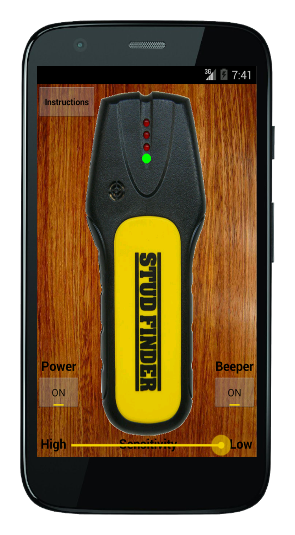
The Stud Finder app is free, open-source, and ad-free. No Google Play required. It uses your Android device's magnetometer to detect metal screws and nails inside wall studs, so you know exactly where to drill.
One honest caveat about the technology: a phone (and our app) only has a magnetometer. A magnetometer is genuinely accurate at one thing - detecting metal: the screws, nails, pipes, and metal studs behind the wall. What it cannot do is sense the wood stud itself, because phones lack the sensor that does that. Dedicated electronic stud finders carry a density (capacitive) sensor that reads the denser wood stud straight through the drywall - a sensor no phone or tablet has. That is why a physical finder is meaningfully more accurate at locating the stud, while the phone magnetometer is best understood as a precise metal detector. For critical jobs like heavy shelves, TV mounts, or structural anchors, the density-sensing physical tool is the reliable choice. We recommend both: the free app for quick metal checks, a good handheld density finder when accuracy matters.

Or sideload the APK from GitHub if you prefer not to use F-Droid
Phone-based detection (including our free Android app) is great for a quick check, but a phone only has a magnetometer - it accurately finds the metal screws and nails in a stud, not the wood itself. Dedicated electronic finders add a density (capacitive) sensor that reads the wood stud straight through the drywall, which no phone or tablet has, so they are meaningfully more accurate for locating the stud. For heavy shelves, TV mounts, or anything structural, that density sensor is what you want. On iPhone and iPad there is no free option at all - iOS blocks even the magnetometer that Android apps use - so a physical finder is the dependable choice. These are the ones worth buying:
As an Amazon Associate we earn from qualifying purchases. The links below are affiliate links - buying through them supports the free app at no extra cost to you. Prices change often, so check the live price on Amazon.
Thirteen sensors read the wall at once and light up the full width of the stud - no calibration, no slow sweeping, no false reads. The pick most pros and review sites land on.
Everything the 710 does, plus live AC-wire and metal detection so you do not drill into a cable or pipe. Worth it if you mount things on unfamiliar walls.
The classic affordable electronic finder. Single edge-detecting sensor with an audible alert. Trusted brand, cheap entry point if the Franklin is more than you need.
A pocket magnet that snaps onto the screws and nails holding the drywall to the stud. No batteries, nothing to calibrate, lasts forever. The same physics our app uses, in a tool that never dies.
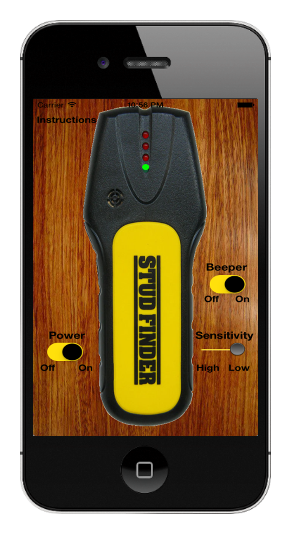
Most stud finder apps on the Play Store are loaded with ads and tracking. This one isn't, and it never will be, because the source code is public and anyone can verify it.
The app uses your device's compass (magnetometer sensor) to pinpoint metal studs, nails, and screws embedded in wood wall studs. LEDs light up in sequence as your device passes over a stud, the same interaction model as a handheld stud detector.
Please follow this simple instructional video for how to use stud detector tool.
The above instructions for how to correctly use the studfinder app on your particular device are easily accessible within the app itself.
Please make sure to follow the included guide for how to adjust the app settings for various work environments, use cases, and devices.
Thank you for downloading and using the app!
Note: the app uses your device's magnetometer, which accurately detects metal - the studs, nails, and screws behind the wall - but cannot sense wood directly. Phones and tablets do not carry a density (capacitive) sensor, the component a dedicated electronic stud finder uses to read the wood stud straight through the drywall. That is why a physical density finder is more accurate for locating the stud itself, and why we recommend one for critical jobs (see the recommended finders above).
Yes, with one important limit. A phone uses its magnetometer (compass sensor), which accurately detects the metal screws and nails that hold drywall to a stud. It does not sense the wood itself, because phones have no density sensor. That makes a stud-finder app great for a quick check, while a dedicated physical finder is more reliable for critical jobs.
Yes. Our Stud Finder app is free, open-source, and ad-free, distributed through F-Droid for Android. No Google Play account, no ads, no tracking.
There is no reliable free option on iPhone. iOS blocks the magnetometer sensor that Android stud-finder apps rely on, so phone-based detection is not available on iOS. On iPhone or iPad a physical stud finder is the dependable choice.
Our app is fully open-source: the code is public on GitHub and built independently by F-Droid. Open source means anyone can verify there are no ads, no tracking, and no hidden network calls.
They read the phone's magnetometer to find the metal fasteners (screws and nails) embedded in the wood studs behind your wall. They cannot detect wood directly. Dedicated electronic stud finders add a density (capacitive) sensor that reads the wood stud straight through the drywall, which is why they are more accurate for locating the stud itself.
It is my continued goal to ensure this is the best stud finder app available.
Please contact me regarding questions, concerns, or feedback.
StudFinder is free, open-source, and ad-free. If it saved you a hole in the wrong wall, a small Lightning tip keeps the lights on.
tips@studfinderapp.com